
barrierView app
Free for Android and iPhone. It connects to the monitor in your cab by Bluetooth and shows every barrier in the system.


Video guide
2:12 on using the app (barrierView 3.3.0): connecting, reading a barrier's tile, lowering and raising a barrier, No Signal, Settings, Scan and Set and the app's own Guides tab, which carries this guide for reading with no signal. Each chapter jumps to its part.
- 0:00
- 0:17
- 0:38
- 0:56
- 1:17
- 1:29
- 1:40
- 2:01
What it shows
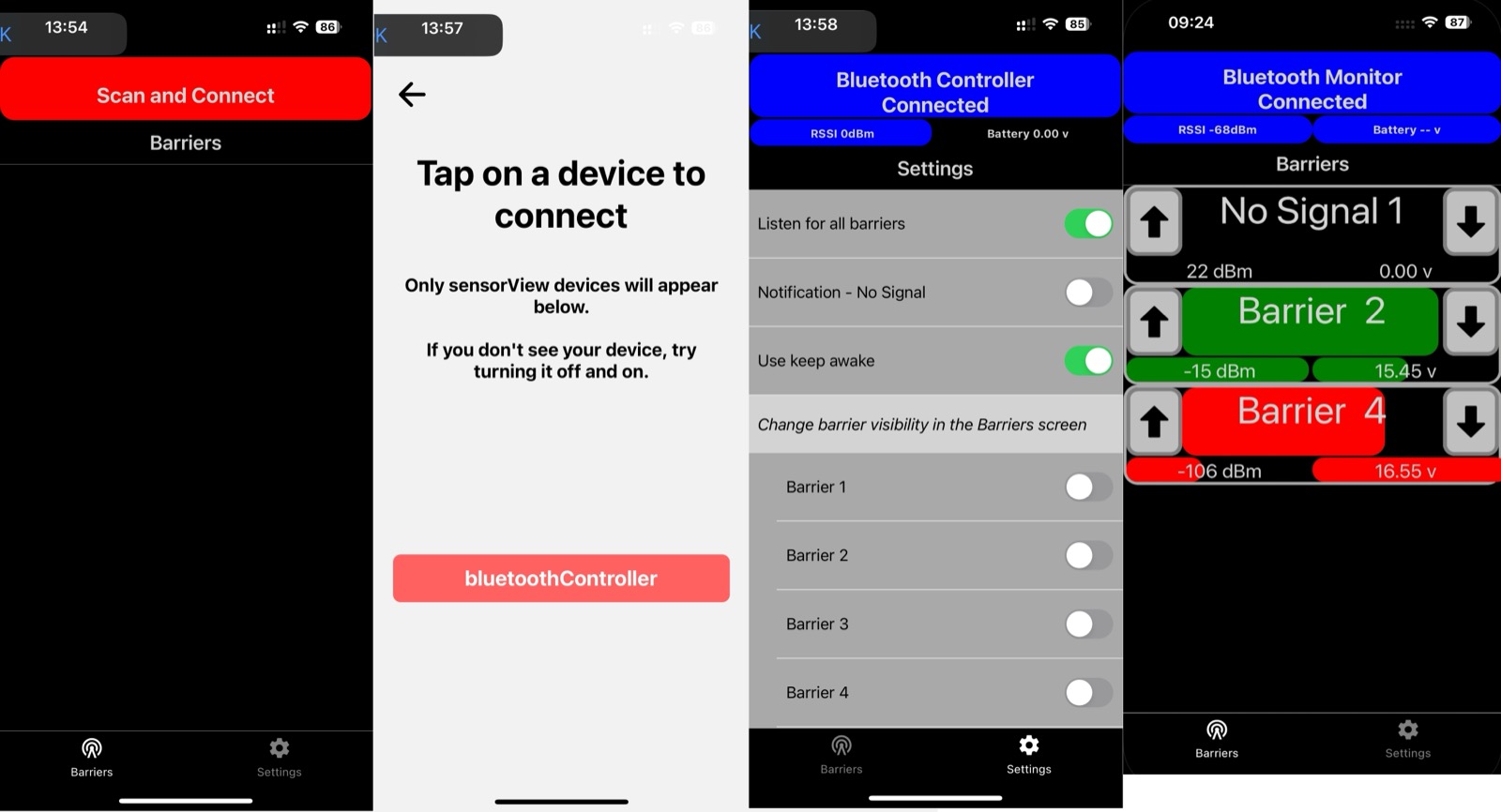
- A tile for each barrier with its number and whether it is up or down.
- Radio signal strength and battery level for each barrier's controllers.
- A "No Signal" alert, with a sound if you want it, when a barrier stops reporting.
- It works without mobile coverage: the barriers talk to the monitor by radio, and the monitor talks to your phone by Bluetooth.
Getting connected
- Install the app and turn on Bluetooth.
- Turn on the monitor in the cab.
- Open the app and tap Scan and Connect, then tap your monitor in the list. Only sensorView devices are listed; if yours is missing, turn it off and on again.
- The Barriers screen fills in as each barrier reports.
Settings
Choose whether to listen for all barriers or only some, turn the No Signal notification and beep alerts on or off, and pick which barriers show on the Barriers screen.
Privacy and terms
The app needs no account and collects no personal information beyond what the privacy policy describes. Using it means agreeing to the barrierView terms of service.